





Mackie
Mackie PROFX16V3 16 Channel Fx Mixer

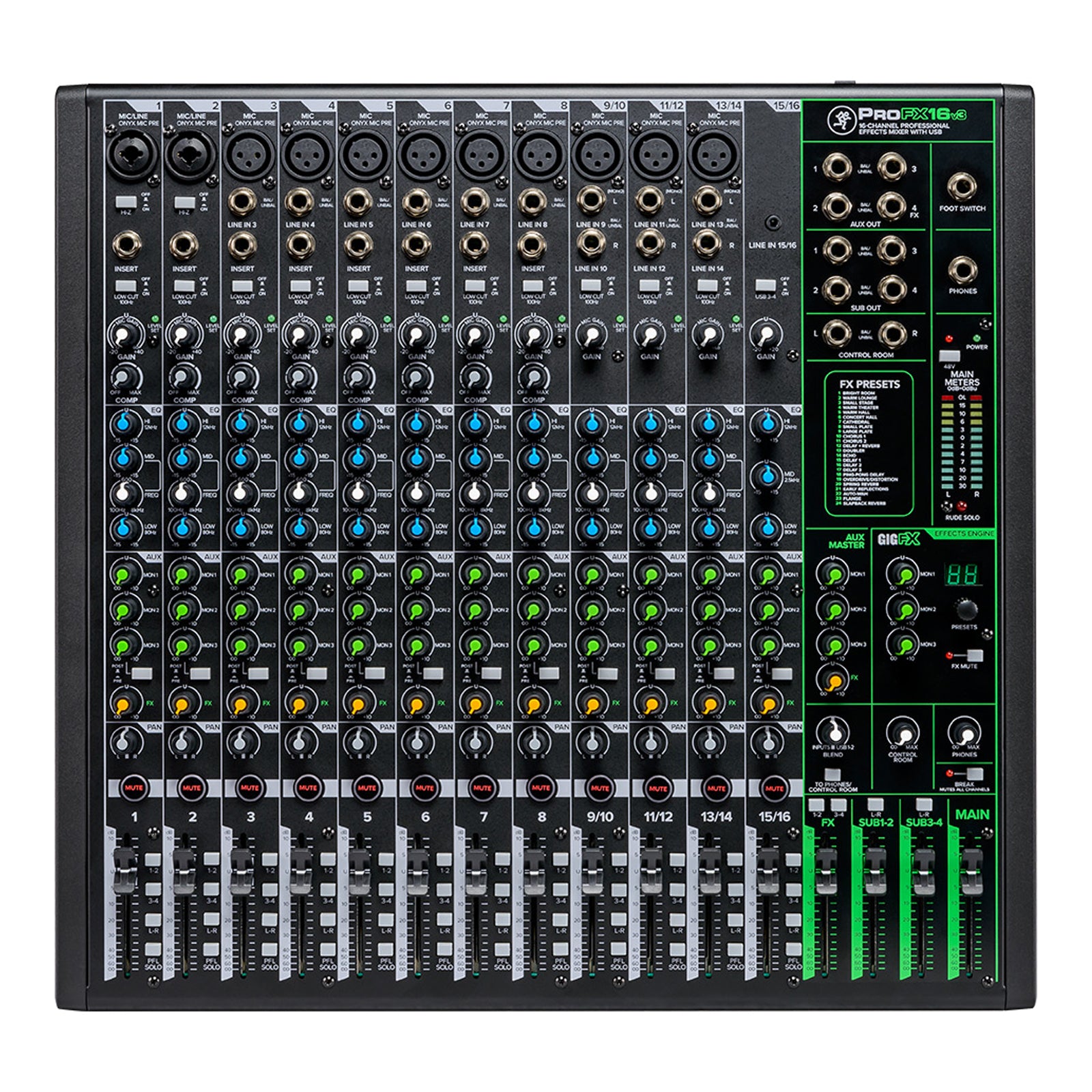
The Mackie ProFX16v3 16-Channel Analogue Mixer with USB is built for users who need one desk to handle studio recording and live sound with equal confidence. With 11 award-winning Onyx mic preamps offering up to 60dB of gain, a high-resolution GigFX effects engine with 24 built-in effects, 192kHz USB recording, latency-free direct monitoring and flexible subgroup and aux routing, it is a strong option for music producers and small venues that want a compact mixer with proper headroom and practical connectivity.
A serious mixer for studio and live sound work
The ProFX16v3 is designed for users who need a mixer that can move between studio recording and live sound reinforcement without compromise. It combines the kind of channel count and routing flexibility needed for venue work with the USB recording and monitoring workflow that makes sense for producers, project studios and hybrid setups.
For smaller venues, rehearsal rooms and recording spaces, that makes it easier to rely on one mixer for more than one job rather than splitting your budget across separate live and studio solutions.
Why the Mackie ProFX16v3 stands out
Onyx preamps with usable gain and headroom
The ProFX16v3 features 11 award-winning Onyx mic preamps, with ultra-low noise performance and up to 60dB of gain. That gives you the sort of headroom and clarity that matters whether you are working with vocals, instruments or a wider live input list.
GigFX effects built in
Mackie includes a high-resolution GigFX engine with 24 built-in effects, including reverbs, delays and choruses. That makes the ProFX16v3 especially useful for live setups where you want onboard polish without needing extra outboard gear, while still giving producers a fast way to shape a mix in writing or demo sessions.
USB recording for modern workflows
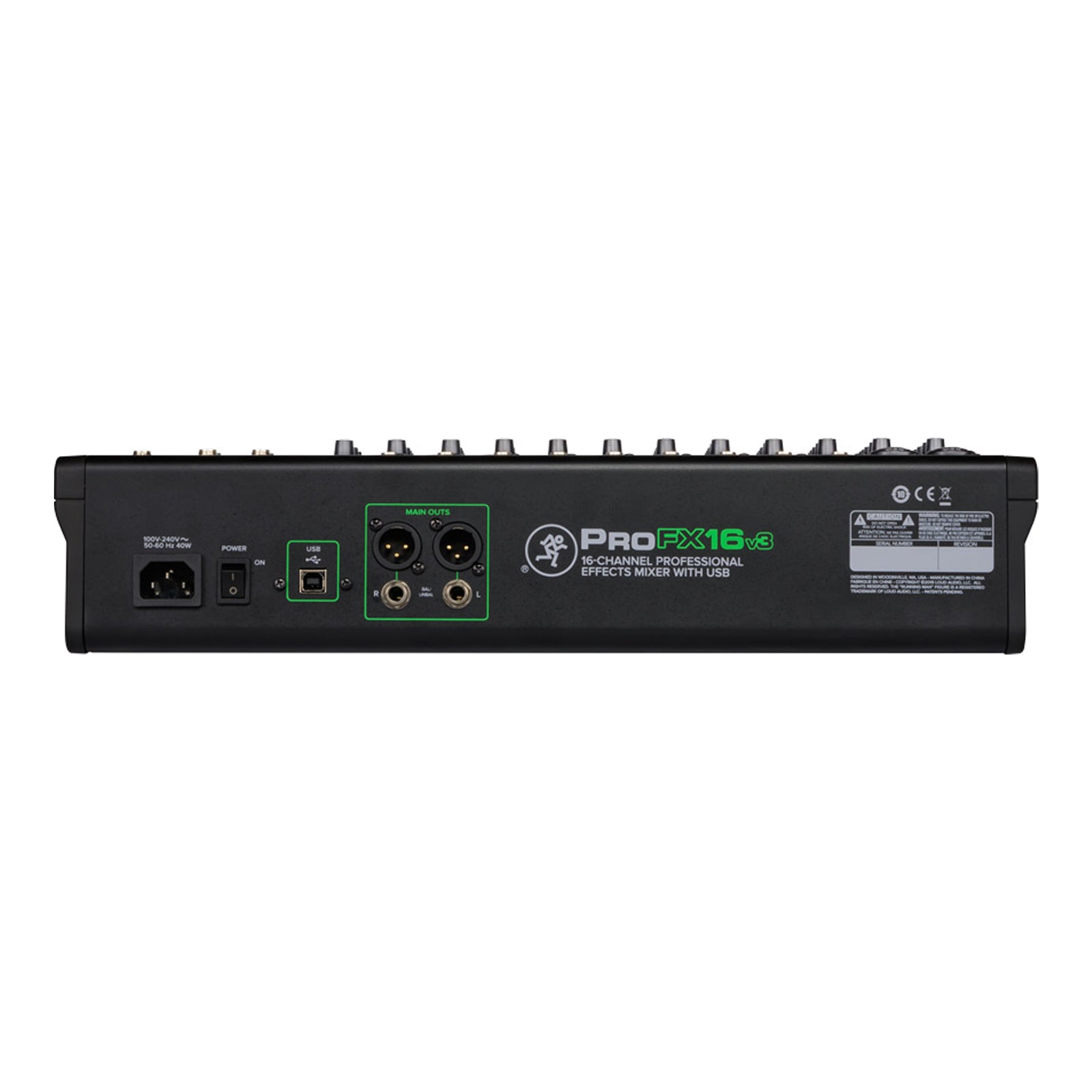
The ProFX16v3 supports high-resolution USB recording at sample rates up to 192kHz, with 2x4 I/O for sending separate mixes from your computer to your headphones and the channel strip. That makes it more than a conventional live desk and gives it a stronger place in home and project studio setups.
A better fit for producers and small venues
Latency-free direct monitoring
Mackie includes latency-free direct monitoring with a dedicated control to blend between your DAW and channel inputs. For producers, that makes overdub sessions and monitoring workflows much easier to manage. For venues and rehearsal spaces, it also makes the mixer more practical when it is being used for both playback and recording tasks.
Real routing flexibility for live use
The ProFX16v3 includes dual stereo USB return, aux and monitor sends with per-channel control, a dual stereo subgroup output bus with per-channel assignment, a dedicated control room output, and a headphone output with separate level and blend control. That gives it the kind of routing flexibility that helps it feel like a proper small-format live sound desk rather than a basic USB mixer.
Software bundle value for studio users
The included Waveform OEM software bundle adds genuine value for producers looking to build out a recording setup. Mackie also includes the DAW Essentials Collection, giving users access to 16 effects plug-ins including EQ, compression, delay, chorus, limiter, phaser and more.
That does not replace a full production setup on its own, but it does make the ProFX16v3 a stronger starting point for recording users who want more than just the mixer hardware.
Mackie ProFX16v3 FAQ
What is the Mackie ProFX16v3?
The Mackie ProFX16v3 is a 16-channel analogue mixer with USB recording, built-in effects and Onyx mic preamps, designed for both studio recording and live sound reinforcement.
Is the Mackie ProFX16v3 good for music production?
Yes. Its 192kHz USB recording, latency-free direct monitoring, Onyx preamps and included Waveform OEM software make it a strong option for producers who want a mixer that can double as a recording hub.
Is the Mackie ProFX16v3 suitable for small venues?
Yes. Its 16-channel format, 11 mic preamps, aux sends, subgroup routing, built-in effects and dedicated monitoring outputs make it well suited to small venues and live sound setups.
How many mic preamps does the ProFX16v3 have?
The ProFX16v3 has 11 Onyx mic preamps.
Does the Mackie ProFX16v3 have built-in effects?
Yes. It includes the GigFX effects engine with 24 built-in effects.
Can the ProFX16v3 record over USB?
Yes. It supports USB recording at sample rates up to 192kHz, with 2x4 USB I/O for more flexible routing.
Does the ProFX16v3 include software?
Yes. Mackie includes Waveform OEM and the DAW Essentials Collection with the mixer.
The main features of the Mackie ProFX16v3 include:
- 16-channel USB analogue mixer
- 11 low-noise, high-headroom Onyx mic preamps with up to 60dB of gain
- High-resolution USB recording up to 192kHz
- 24 built-in GigFX effects including reverbs, delays and choruses
- 3-band EQ with on/off hard bypass switch and variable mid frequency control
- Built-in compression
- Switchable Hi-Z inputs for guitars, bass and other instruments
- 100Hz low-cut filter and 48V phantom power on all channels
- Aux and monitor sends with dedicated per-channel send control
- Dual stereo subgroup output bus with per-channel assignment
- Latency-free direct monitoring
- Headphone output with separate level and blend control
- Dedicated control room output
- Footswitch input for FX mute
- Waveform OEM software bundle included
| Product | Mackie ProFX16v3 |
|---|---|
| Product type | 16-channel analogue mixer with USB |
| Mic preamps | 11 Onyx mic preamps |
| Mic gain | Up to 60dB |
| USB recording | Up to 192kHz |
| USB I/O | 2x4 |
| Effects engine | GigFX |
| Built-in effects | 24 |
| EQ | 3-band EQ with hard bypass and variable mid frequency control |
| Aux sends | 4 |
| Subgroups | 4 |
| Compressors | 8 |
| Monitoring | Latency-free direct monitoring |
| Instrument inputs | Switchable Hi-Z inputs |
| Phantom power | 48V |
| Low-cut filter | 100Hz |
| Headphone output | Yes, with separate level and blend control |
| Control room output | Yes |
| Footswitch input | Yes, for FX mute |
| Included software | Waveform OEM and DAW Essentials Collection |